 HomeRun Boy
HomeRun Boy
Provided by VPlay Games
 12 Crowns per play
You know HomeRun Boy, right?
It is a sports game. Simple controls, but actually winning takes some timing and practice.
The UI is clean and you can tell what is going on immediately.
The first few minutes feel slow, but it picks up once you unlock the upgrades.
Great way to zone out after a long day.
How to Play
Step 1 — Time Your Swing
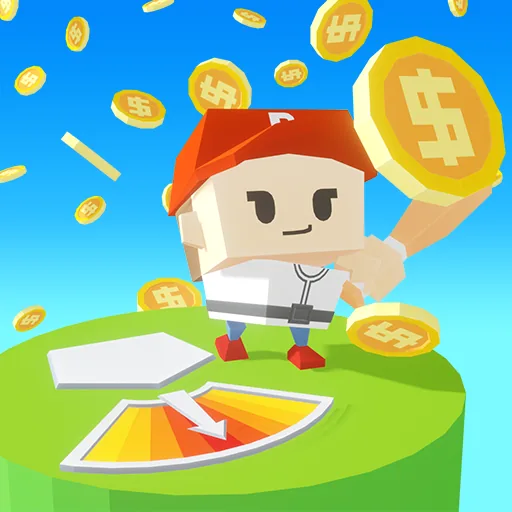
When the round starts, a power meter appears on screen. Watch the arrow move across the meter and click at the perfect moment to swing your bat. The closer you land to the center of the meter, the harder and farther the ball flies. Timing is everything.
Step 2 — Hit the Ball
As the ball approaches the plate, click again to make contact. A perfectly timed swing at the center of the meter sends the ball soaring the maximum distance. Mistimed hits land short — so stay focused.
Step 3 — Earn Coins
Every hit earns you coins based on how far the ball travels. The farther it flies, the more you earn. Use those coins between rounds to power up your game.
Step 4 — Buy Upgrades
Spend your coins in the upgrade shop to improve:
Power — increases how far the ball travels
Bat Speed — improves your swing timing window
Ball Bounce — adds extra distance after landing
Support — boosts overall hitting performance
Step 5 — Unlock Rewards
Complete daily challenges to unlock new balls. Level up to unlock new bats. Earn diamonds to purchase new character skins. The more you play, the more you unlock.
Step 6 — Beat Your Record
A distance tracker at the top of the screen shows your current record and the target distance for each level. Hit the target to level up and take on bigger challenges.
Controls
Desktop: Click / Left Mouse Button
Mobile: Tap the screen
Tips to Hit Farther
Always aim for the dead center of the power meter
Prioritize upgrading Power and Bounce first for maximum distance gains
Complete daily challenges early — they reward you with rare balls that boost performance
 More Games