 Lovely Doll Creator
Lovely Doll Creator
Provided by VPlay Games
 12 Crowns per play
I found Lovely Doll Creator and could not stop.
It is an arcade game. The controls are simple enough that anyone can start playing right away, but getting a high score takes some actual skill.
The UI is clean and you can tell what is going on immediately.
The hardest part is the beginning. Stick with it until you unlock your second upgrade.
It will not blow your mind, but it is fun.
How to Play
Step 1 — Choose Your Character
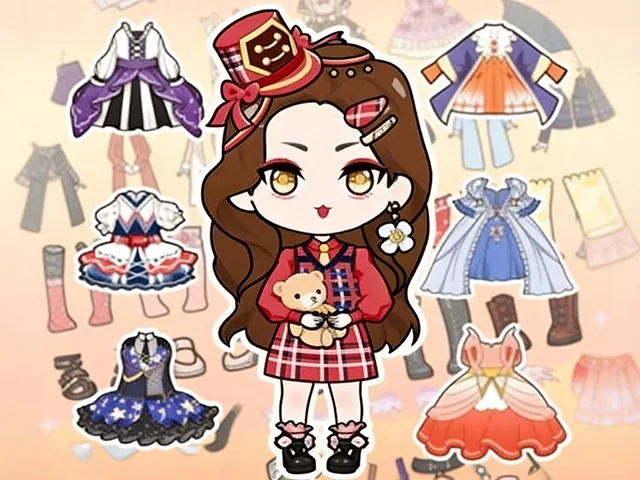
At the start of the game, select a base cartoon doll character to begin customizing. This is the canvas for your creation — every other choice you make will build on top of this starting character.
Step 2 — Customize the Face
Personalize your doll's facial features by selecting:
Skin tone — choose from a range of skin colors to match your vision
Eye style and color — big anime eyes in blue, green, black, red, and more
Makeup and face decorations — add blush, eyeshadow, eyelashes, and other facial details to give your doll personality
Step 3 — Style the Hair
Choose a hairstyle from dozens of options and then pick the perfect hair color to match. From short bobs and braids to long flowing styles and twin tails, the hair selection covers every aesthetic from cute casual to full fantasy.
Step 4 — Dress Your Doll
Browse through hundreds of clothing options and dress your character in whatever style speaks to you:
Lolita dresses for a sweet, frilly look
Maid costumes for a classic anime aesthetic
Casual outfits for an everyday style
Unique options like cow pajamas, school uniforms, and fantasy gowns
Add socks or shoes, tops and bottoms, and layer accessories like necklaces, hats, and earrings to complete the ensemble.
Step 5 — Set the Scene
Choose a background setting for your doll — gardens, beaches, castles, and more. The right backdrop transforms your character into a fully realized scene that tells a story all on its own.
Step 6 — Save and Share
Once you're happy with your creation, save your doll design and share it with friends. Every combination you make is unique — no two players will ever create the exact same doll.
Controls
Desktop: Click on any customization option to apply it to your doll
Mobile: Tap any option to select and apply it
Tips for the Perfect Doll
Start with the face and hair before moving to clothes — establishing your doll's personality through facial features first makes outfit choices feel more natural and cohesive
Don't be afraid to mix styles — a Lolita top with casual accessories can create a surprisingly charming look
Try multiple backgrounds before settling — the same outfit can feel completely different depending on the scene behind it
Experiment with unexpected color combinations — sometimes the boldest hair colors and eye colors create the most striking and memorable characters
 More Games