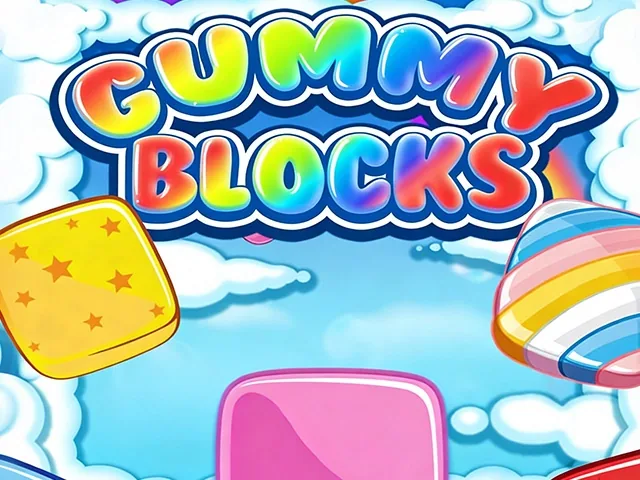
 Gummy Blocks
Gummy Blocks
Provided by VPlay Games
 12 Crowns per play
You know Gummy Blocks, right?
You are presented with a problem and have to work it out. The mechanics are simple at first, but later levels really make you think.
It works just as well on a phone as it does on a desktop.
A few tips: take your time on the hard levels, do not rush the early rounds, and pay attention to what the game is asking you to do.
It will not blow your mind, but it is fun.
How to Play
Step 1 — Launch the Game Instantly
Open the VPlay Gummy Blocks page on your mobile or desktop browser. No registration, app installs or payments needed; tap play to jump straight into your first candy puzzle grid.
Step 2 — Drag Gummy Shapes Onto the Game Grid
Look at the three gummy block pieces provided at the bottom of the screen. Click and hold (desktop) or tap and drag (mobile) each candy shape to move it onto any empty space within the main grid board. You can rotate most gummy pieces before placing them for a better fit.
Step 3 — Fill Full Rows or Columns to Clear Blocks
Arrange your gummy shapes to completely fill any entire horizontal row or vertical column on the grid. Once a line is fully packed with gummies, all candy blocks in that line vanish automatically, freeing up grid space and adding points to your score.
Step 4 — Score Combo Bonuses for Multi-Line Clears
If placing one gummy piece fills two or more full lines simultaneously, you receive a high-value combo score bonus. Chain multiple combo clears in sequence to rack up far more points per round.
Step 5 — Place All Provided Shapes to Get New Blocks
You will always have three gummy candy shapes available each turn. You have to place every single one of the current set on the grid before the game spawns a fresh trio of new block shapes to continue playing.
Step 6 — Avoid Fully Filling the Entire Grid
Continuously clear lines to keep empty spaces on the board. If the grid fills entirely and there is no blank spot to fit any of your upcoming gummy shapes, your game round ends immediately.
Step 7 — Earn Star Ratings Based on Final Score
Reach higher total score thresholds in each puzzle stage to earn 1, 2 or maximum 3 golden stars. Higher star tiers unlock larger, more complex grid sizes with extra challenge for advanced players.
Step 8 — Unlock Advanced Large Grid Stages
Collect enough stars to unlock bigger grid layouts in later levels. Larger boards offer more room for massive multi-line combo clears and higher maximum score potential for dedicated puzzle players.
Controls
Desktop: Click, hold and drag gummy blocks with left mouse button; click rotate button to adjust piece orientation
Mobile: Tap and drag candy shapes to move them on grid; tap rotate icon to flip gummy blocks
Tips to Master Gummy Blocks
Focus on filling shorter partial rows first to create steady consistent line clears and avoid grid overflow
Save larger gummy shapes for wide open empty grid zones to pull off multi-line combo bonuses
Always rotate pieces to find the most space-efficient placement before dropping gummies onto the board
Leave small scattered single gaps on the grid for tiny gummy fragments to prevent early game over
Prioritize vertical column clears alongside horizontal rows to maximize combo opportunities every turn
Unlock bigger grid boards early by collecting 3 stars on easy starting levels for more high-scoring gameplay room
Can I play Gummy Blocks on my mobile phone?
Are there any in-app purchases in Gummy Blocks?
How many levels are there in Gummy Blocks?
 More Games